The seals you collect, read and kept.
Photograph a goshuin. Three readers work out which temple or shrine it came from and what it says. You decide what is kept.
御朱印Why it exists
A stranger’s calligraphy is hard to read. So it doesn’t guess.
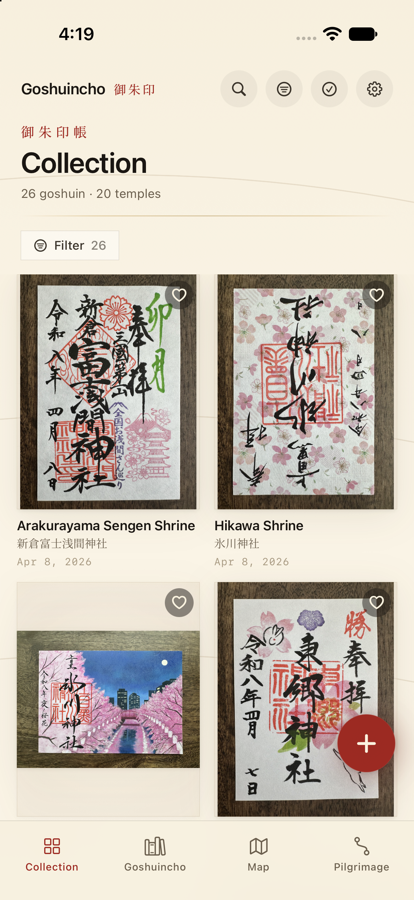
A goshuin (御朱印) is brushed by hand, quickly, in cursive, and pressed with vermillion seals that sit right over the ink. Weeks later, looking at the photo, you often can’t say which temple it was — let alone the date on it or the deity it names.
Goshuincho reads it for you, and then treats that reading as a proposal, not a verdict. Every match arrives with its reasoning, its uncertainty and its runners-up, so you can accept it, correct it, or set it aside. It is meant to be quiet and archival — a way to keep a practice, not a game to win.
拝受How it works
Four steps, and only one of them is yours.
Step one
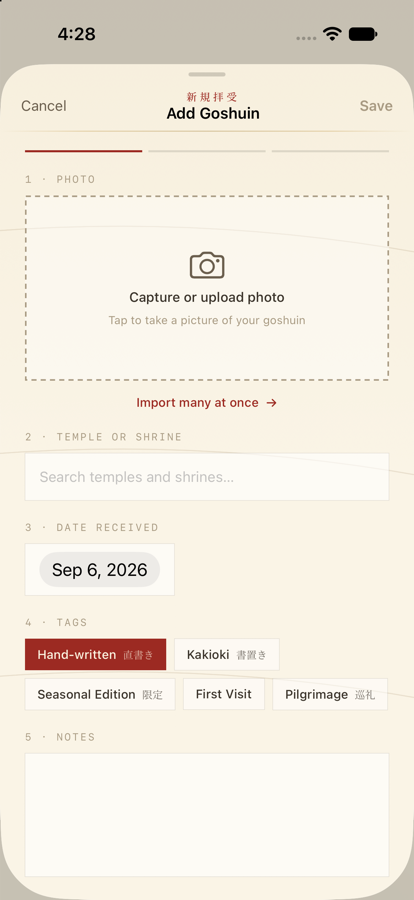
Photograph it
Add a goshuin from your camera roll, or shoot it in place. Bulk-add a whole trip at once.
Step two
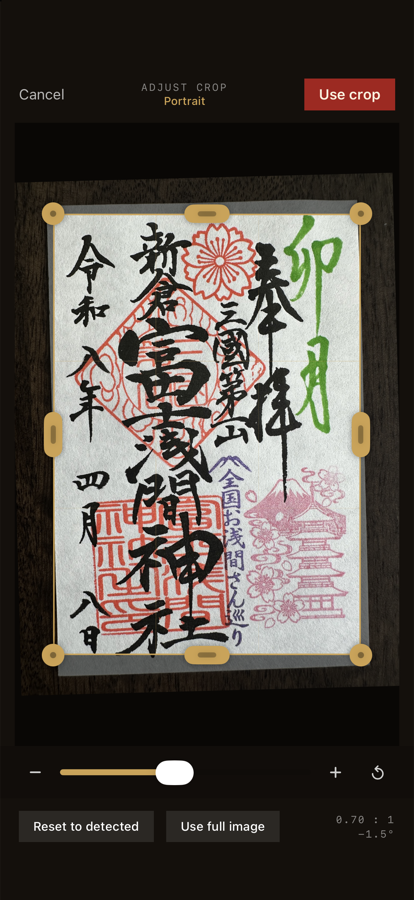
Frame the seal
An on-device pass finds the paper’s edges; you adjust the crop before it’s saved. The cropped image is what gets read.
Step three
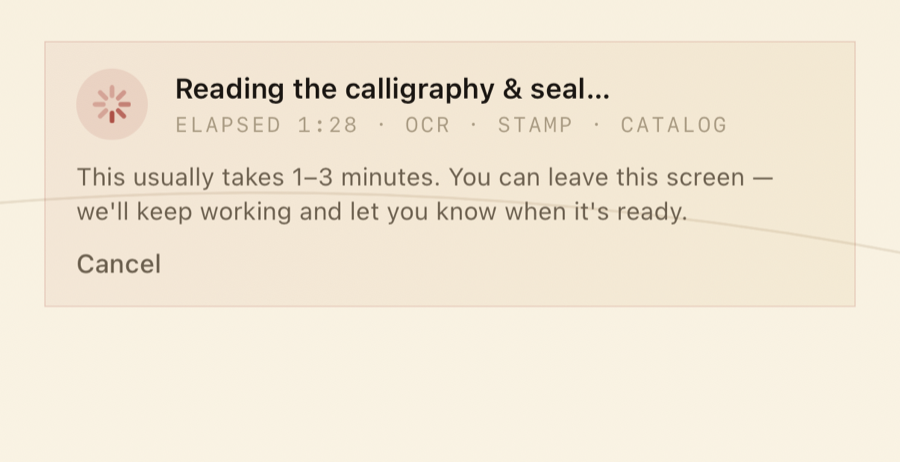
Three readers work
Independent models transcribe the calligraphy and seals and match them against a catalogue of temples and shrines. A reading takes a minute or two; nothing blocks on it.
Step four
You decide
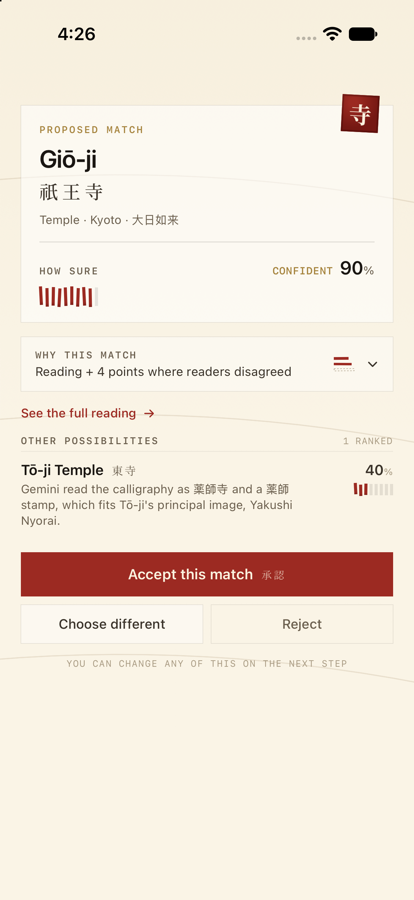
One proposed match, with a confidence, a rationale and ranked alternatives. Accept it and it’s filed with the place’s details; reject it and choose another.
判断の根拠The trust layer
It shows its work, and never files anything on its own.
A match is the app’s opinion, laid out so you can judge it. There are no bounding boxes — the readers reason in words, and the whole case for a match is on the screen: the rationale, the confidence, the split votes, the alternatives.
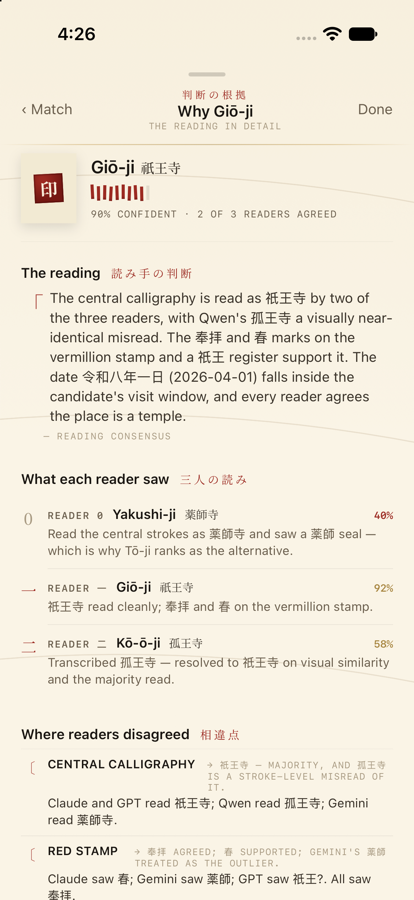
The central seal reads Kiyomizu-dera; the upper cartouche gives the Saigoku pilgrimage number, and the date is Reiwa 8, third month. Two readers agree on the temple; one proposed a nearby sub-temple, resolved on the seal text. — example reading · reading consensus
Confidence, as a tally
Confident · 8 of 10Brush strokes, not a percentage bar. Confident is 85 and up, likely 60–84, uncertain below.
Three readers, one mark
三 Agreement is the kanji three. A solid stroke is a reader who agreed; a faint one dissented.
The disagreements, kept
Where the readers split — on the temple, the date, the deity — the split and how it resolved are recorded with the match, not hidden once a winner is picked.
You always decide
A location hint from a photo’s GPS is only ever a suggestion you can accept or drop. A capture date never influences a match on its own. Nothing is auto-applied.
御朱印帳What’s inside
Built for how a collection actually grows.
Every seal knows its place
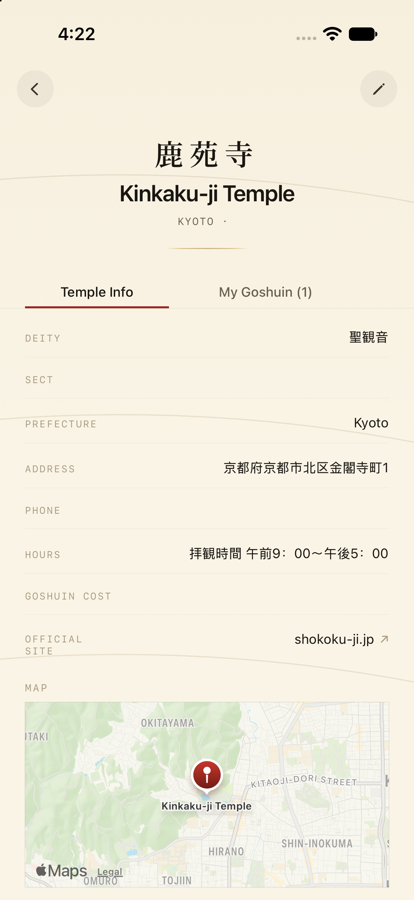
A matched goshuin links to its temple or shrine: the deity, the address and hours, the official site, the cost of a goshuin there, and a short history drawn from Wikipedia, Wikidata and the temple’s own site.
Each fact carries its source. The curated places are bundled with the app, so the detail is there before you have a signal.
Notebooks, like the paper ones
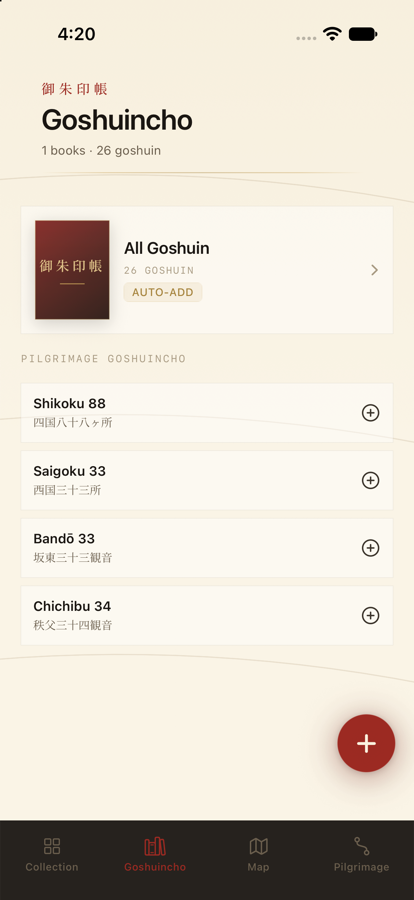
A goshuincho (御朱印帳) is an album — one per trip, per prefecture, per pilgrimage. Adopt a route and its notebook fills itself in from your collection as you go.
The rules for what belongs in a notebook are stored loosely, so a book’s definition can change without disturbing what’s already in it.
Read it as a book
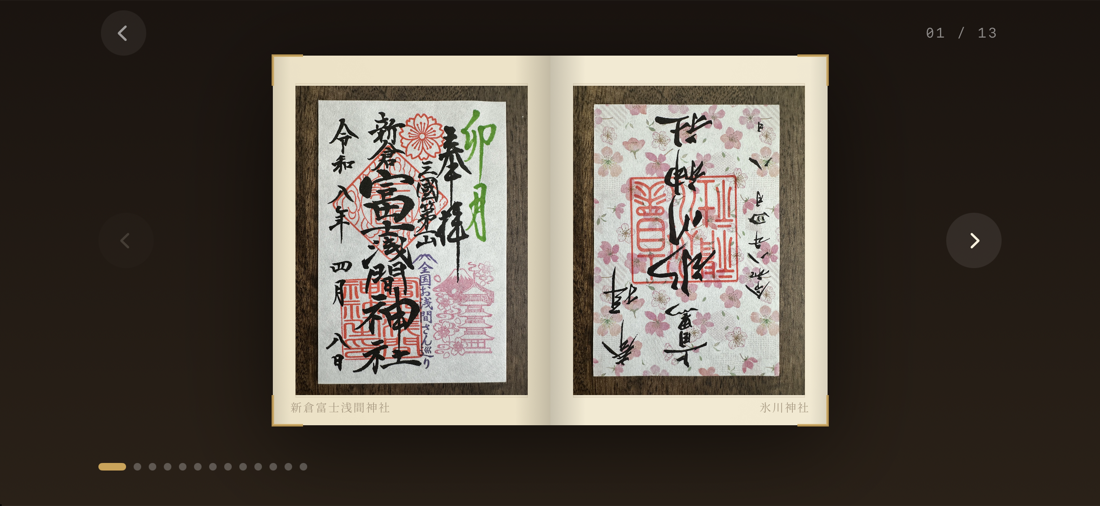
Open a notebook on a dark table: one page in portrait, a two-page spread in landscape, gold brackets at the corners, and a thumbnail strip to turn by.
Everywhere you’ve been
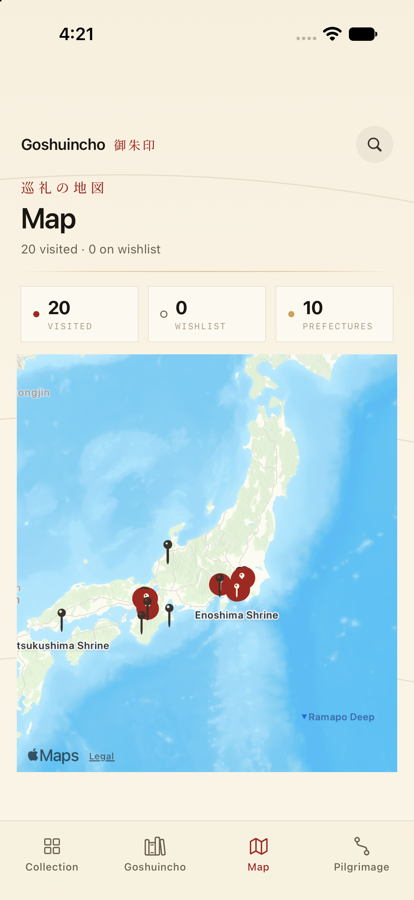
Every place you’ve collected a seal, as real geography — vermillion pins on a cream map, not a stylised abstraction. Pilgrimage routes track their own progress from what’s in your collection.
Questions
The honest answers.
Does it upload my photos anywhere?
When you accept a match, the cropped photo and your confirmation are uploaded — that is what grows the corpus the readers are measured against. Nothing else leaves the device, and browsing never uploads anything.
Who are the three readers?
Two are hosted vision-language models; one runs locally. The exact set is chosen by benchmark rather than preference, and it changes whenever a measurably better one turns up. A fourth, on-device reader can be added on newer hardware.
What if the proposed match is wrong?
Pick from the ranked alternatives, or search the full directory. Your correction is recorded with the image and feeds the next reading’s prior.
Does it need the server to work?
Matching does. Your collection, the notebooks, the book reader, the map and the bundled temple details all work offline.
Is it on the App Store?
No. It’s a personal project, shown here because the work is worth showing, not because there is anything to buy.
iPad?
Yes — one app for iPhone and iPad, with a split-view master–detail layout on the larger screen.